

Offering products with different colors is one of the most common uses of product attributes. Until now, however, WooCommerce core didn’t provide a visual representation of colors on the frontend, preventing merchants and shoppers from associating an actual color with an attribute term.
With WooCommerce 10.9, we are introducing a new product attribute type: Color / Image.
When a Color / Image attribute is used, blocks such as Filter by Attribute and the Variation Selector in Add to Cart + Options will display a visual swatch instead of a standard text chip.
In addition to colors, merchants can select images from their Media library. This can be useful when working with patterns or specific visual designs.
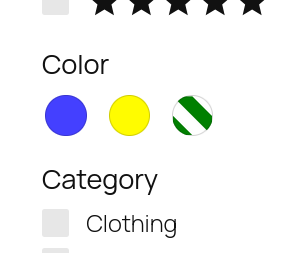
Swatches are automatically applied whenever a Color / Image attribute is rendered in the Chips block. Each swatch appears as a circle using the HEX color or image defined in the admin.
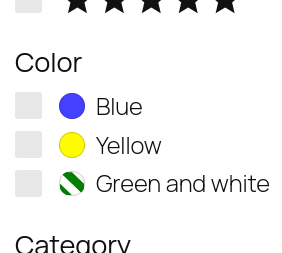
We also updated the List block in Product Filters so it displays a small color swatch next to the attribute name. This only applies to attributes using the new Color type.
Chips style:
List style:
Internally, the Color / Image attribute type is named wc-visual. This provides a consistent pattern for merchants, plugins, and themes to identify visual attributes, making extensibility and interoperability across extensions easier.
How to enable it
This new attribute type is available starting from WooCommerce 10.9 as an experimental feature in block themes.
If your store is using a block theme, you will be able to enable it by going to Settings → Advanced → Features and toggling the Color swatches for attributes option. After that, you will have a new option when creating or updating product attributes in Products → Attributes that will allow you to select the Color / Image type. This will add a new color and image input in the screens to add or edit terms.
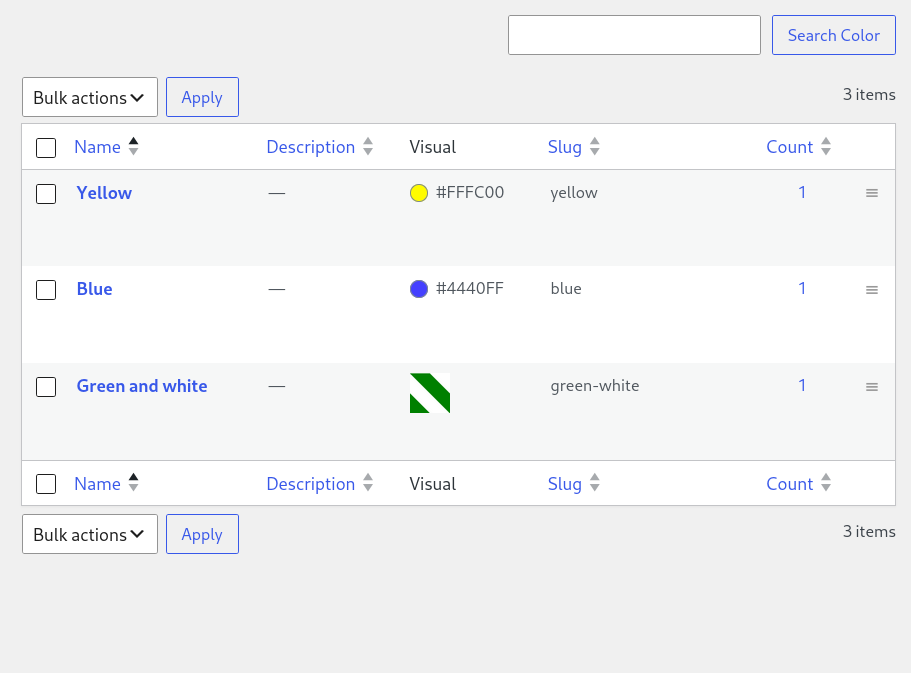
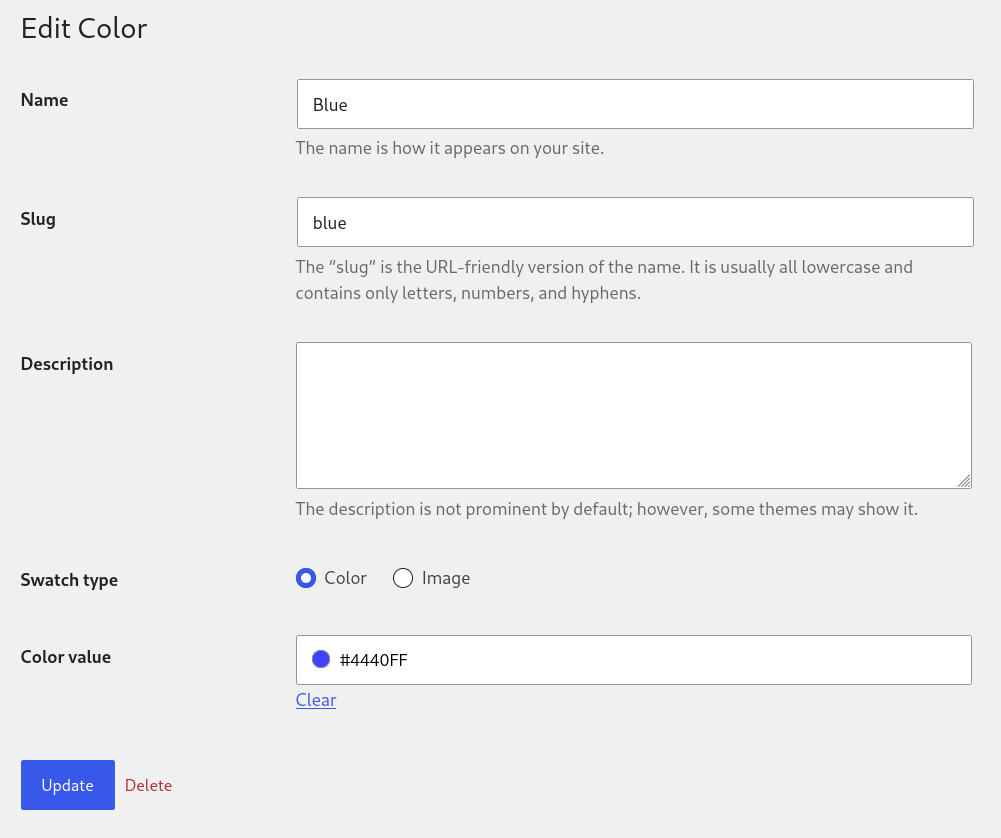
This feature is completely opt-in. If you don’t create or update an attribute to use the wc-visual type, color swatches won’t appear anywhere in your store. The slug is prefixed with wc- to avoid conflicts with existing plugins that may already register custom attribute types.
Shared inner blocks
Alongside this work, we also updated the Product Filters and the Add to Cart + Options: Variation Selector blocks to follow a new shared API that allows them to reuse the same inner blocks.
This means that the Chips block previously used only in Product Filters is now also used inside the Add to Cart + Options: Variation Selector block.
Stores don’t need to take any action to benefit from the shared inner blocks. We added backwards compatibility for stores that have customized the Variable Product template part of the Add to Cart + Options block. When accessed on the frontend, or opened on the editor, the new inner blocks are used instead of the legacy ones.
Next steps
Color swatches will be available behind a feature flag in block themes starting with the WooCommerce 10.9 beta, scheduled for June 8th. They are also already available for testing in nightly builds on GitHub.
We encourage everyone to test this feature on a staging site and report any bugs or issues you encounter.


Leave a Reply